Google Chrome on desktop
Follow these steps if you use MustStash in Google Chrome on a computer.
This only clears the data Chrome saved for MustStash. It does not delete your stash, projects, wishlist, or account.
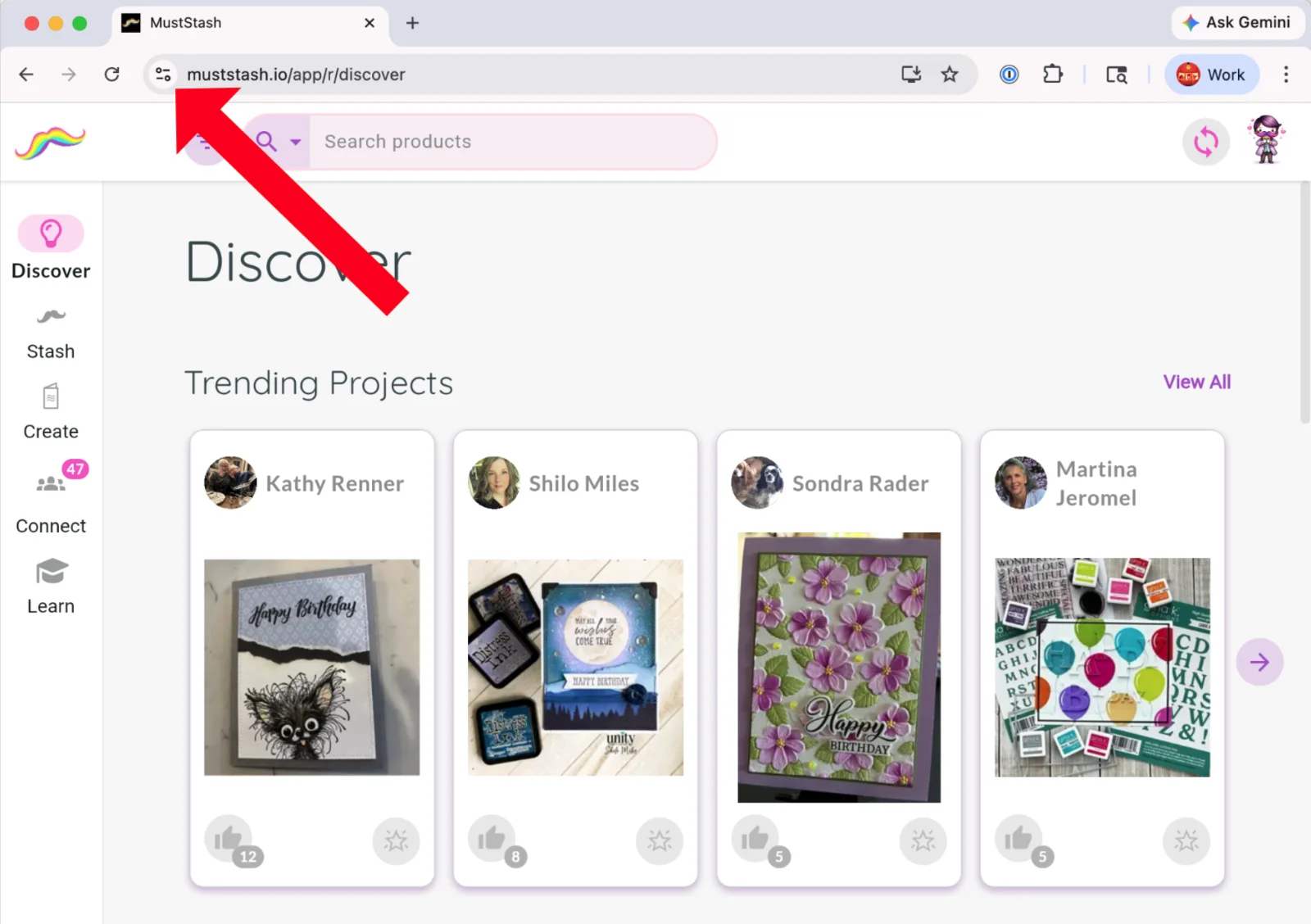
1. Click the icon next to the website address
In the address bar, click the icon to the left of the URL.
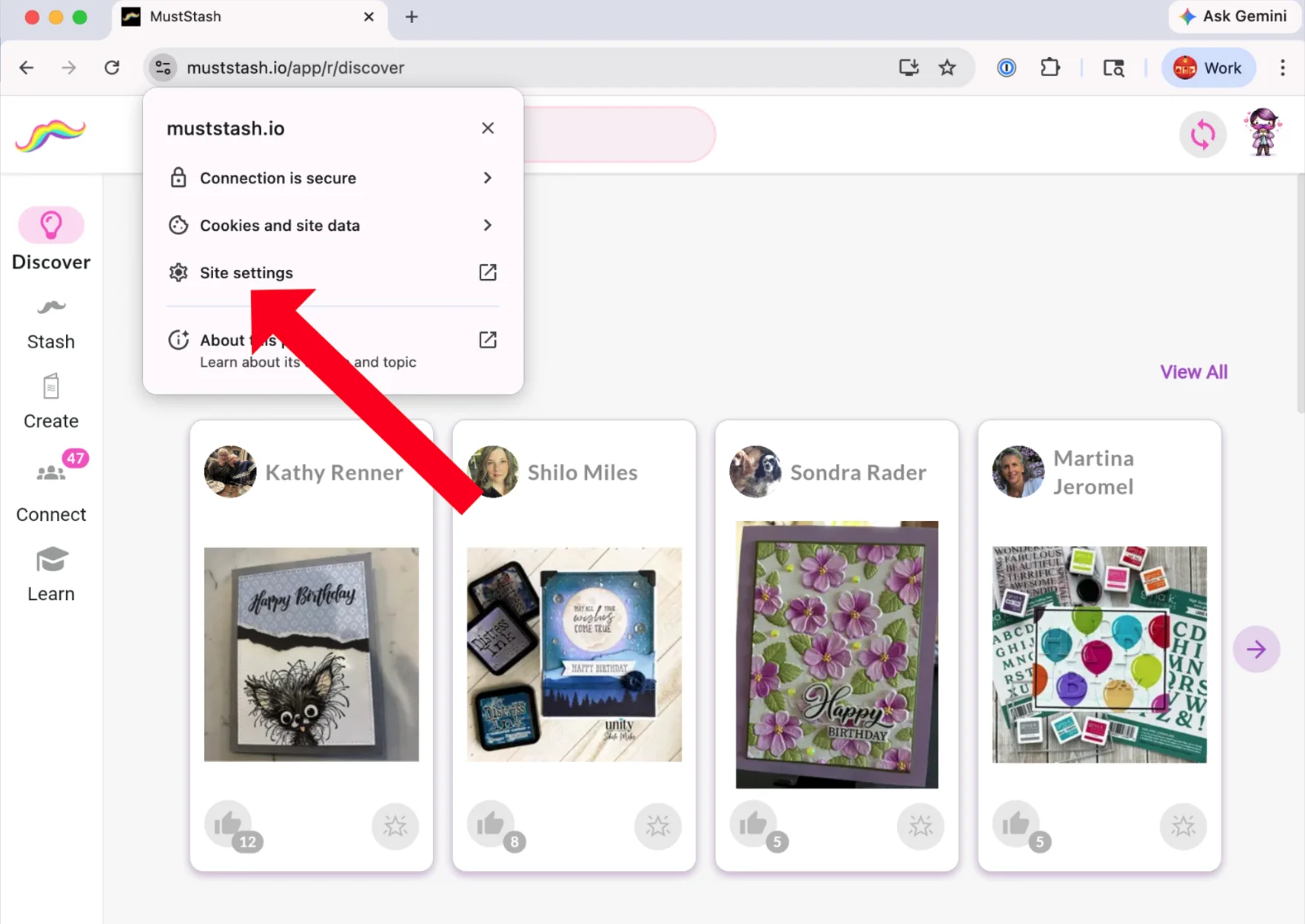
2. Select Site settings
Select Site settings.
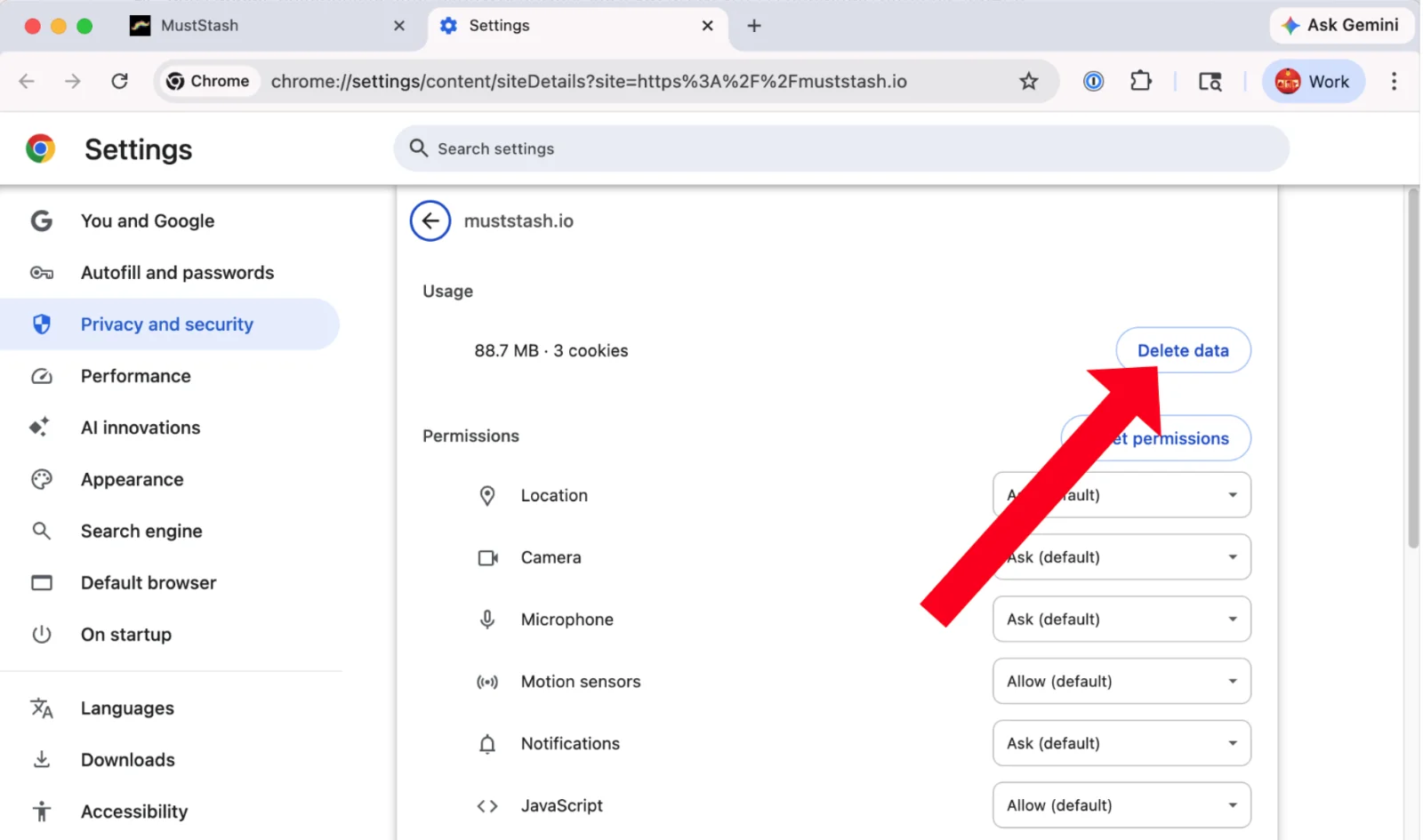
3. Delete the saved data
Click Delete data.
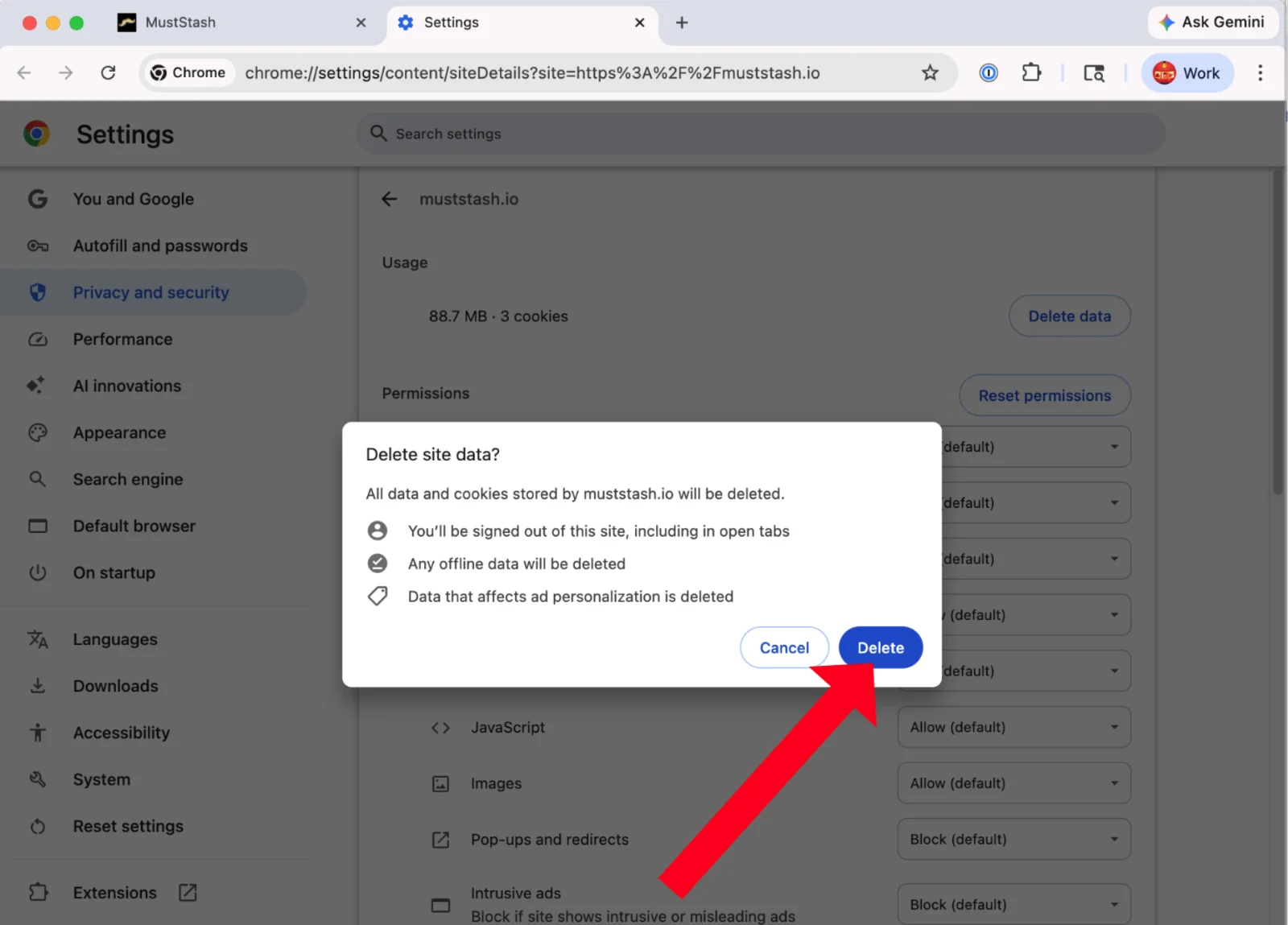
4. Confirm
Click Delete to confirm.
5. Open MustStash again
Open MustStash again. MustStash will load a fresh copy of your data from your account.