iPhone or iPad
Follow these steps if you use MustStash in Safari on an iPhone or iPad.
This only clears the data Safari saved for MustStash. It does not delete your stash, projects, wishlist, or account.
1. Open Settings
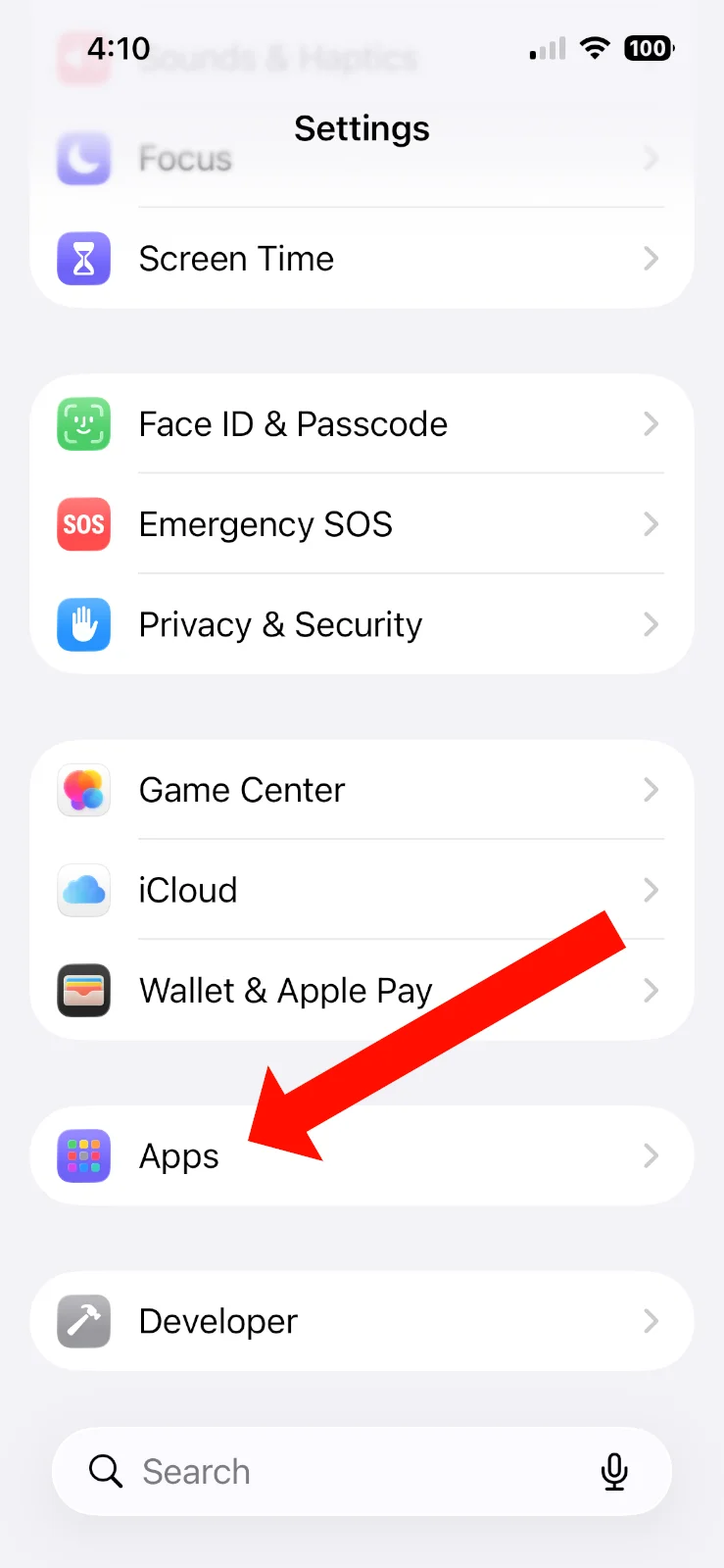
Open the Settings app, scroll down, and tap Apps.
2. Open Safari settings
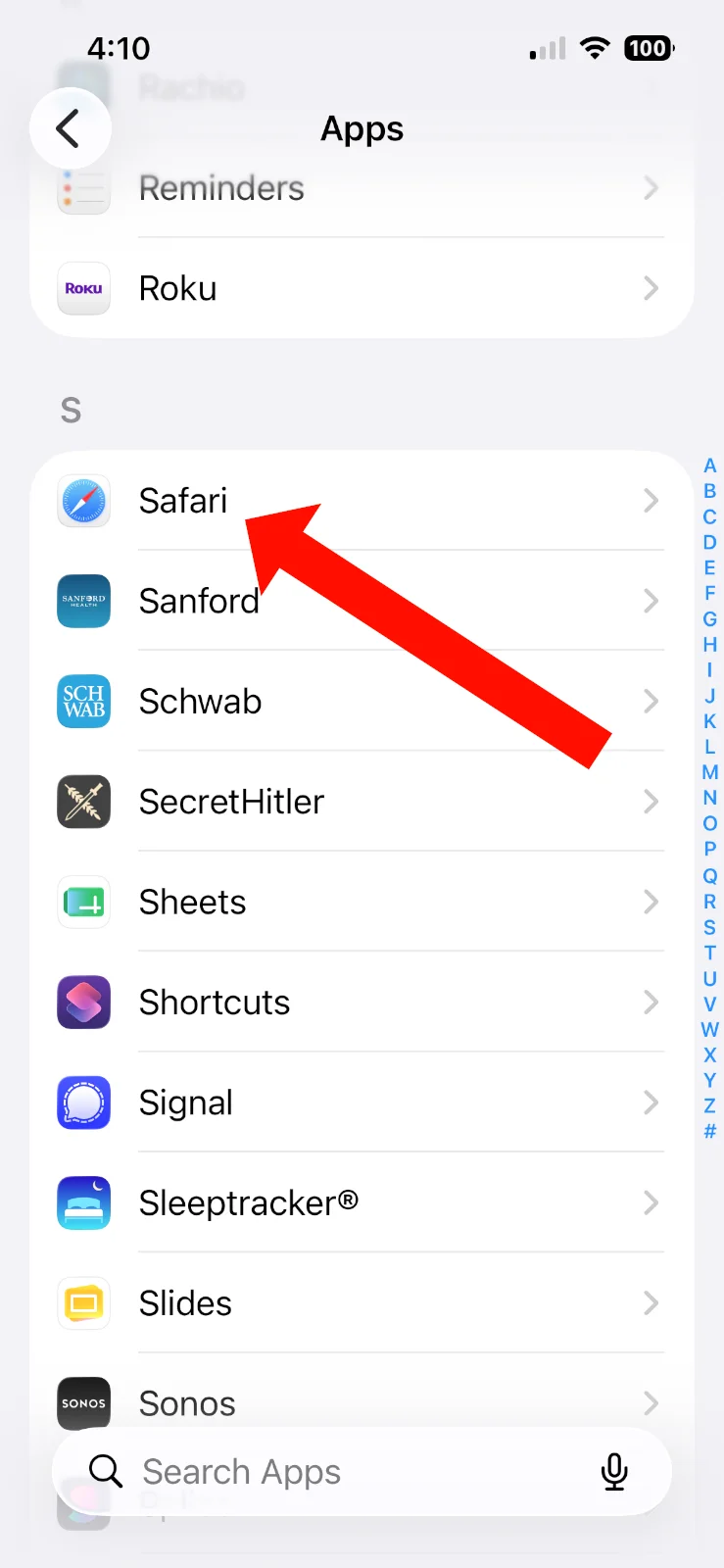
Scroll down your app list and tap Safari.
3. Open Advanced settings
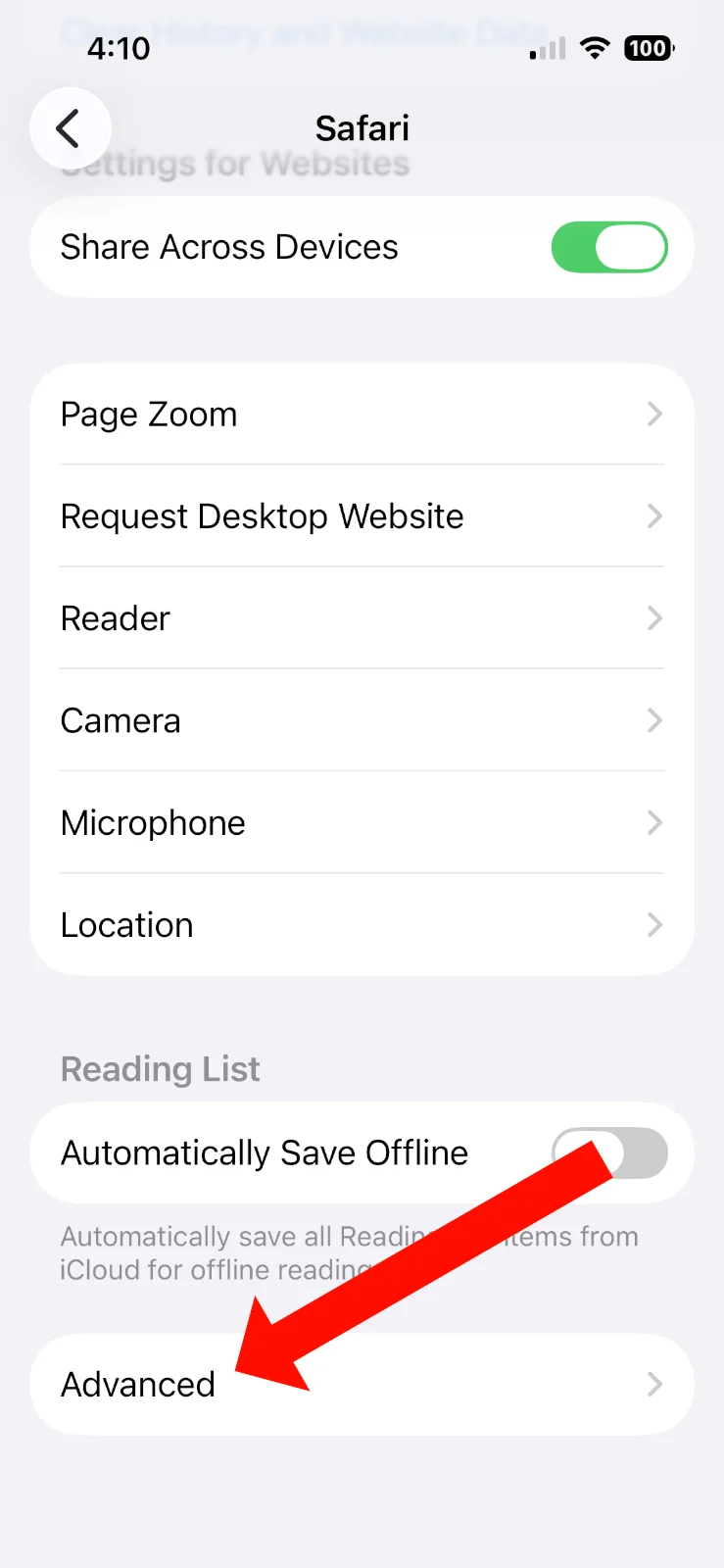
Scroll down to the bottom and tap Advanced.
4. Open Website Data
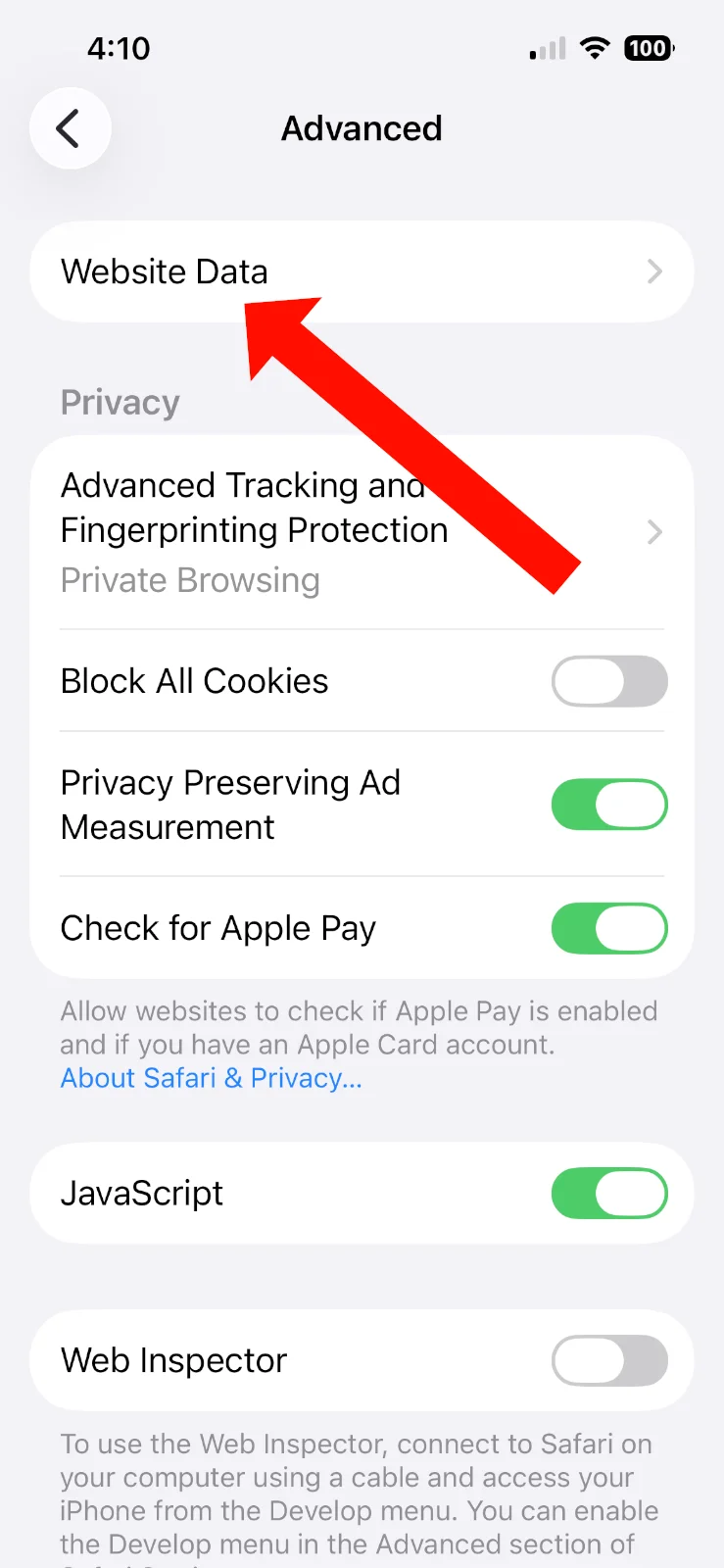
Tap Website Data.
5. Delete MustStash data
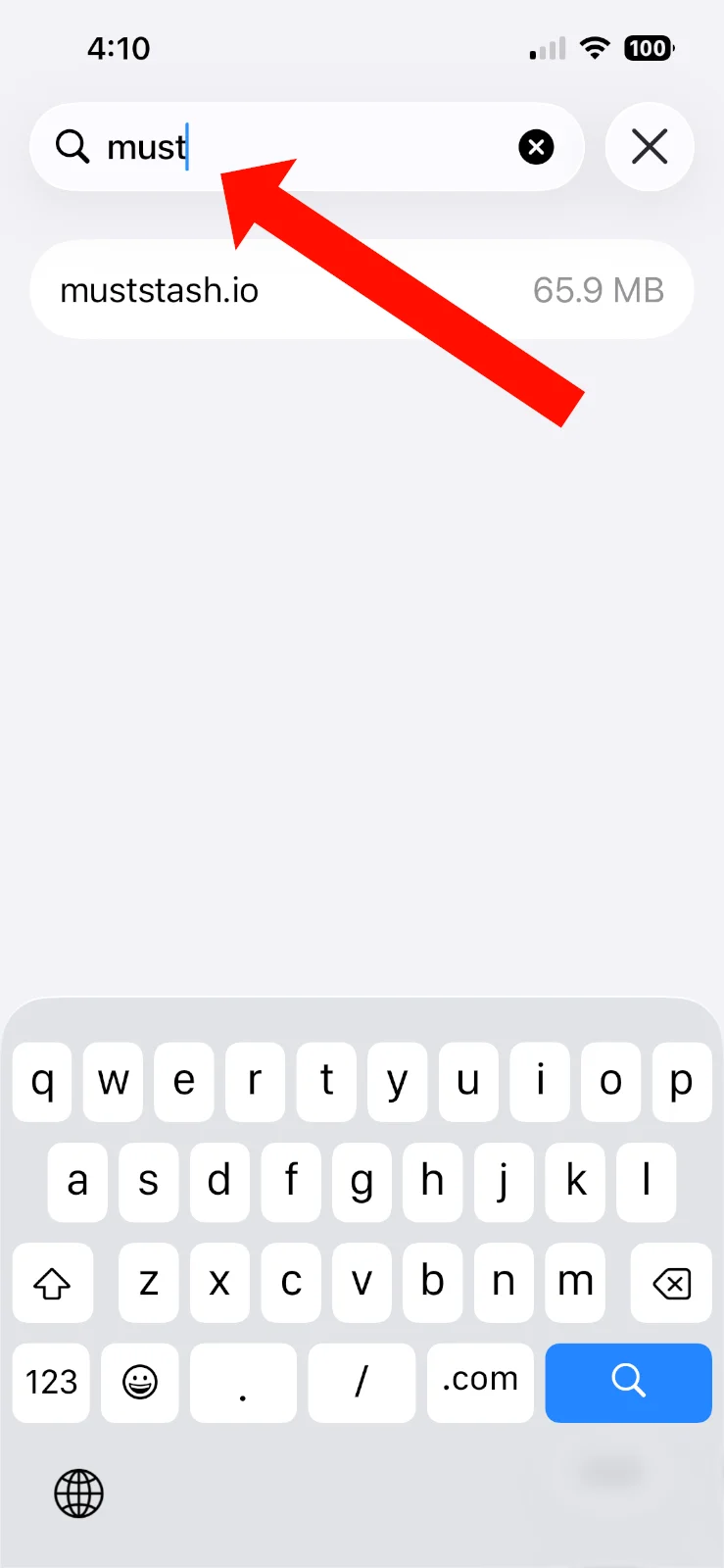
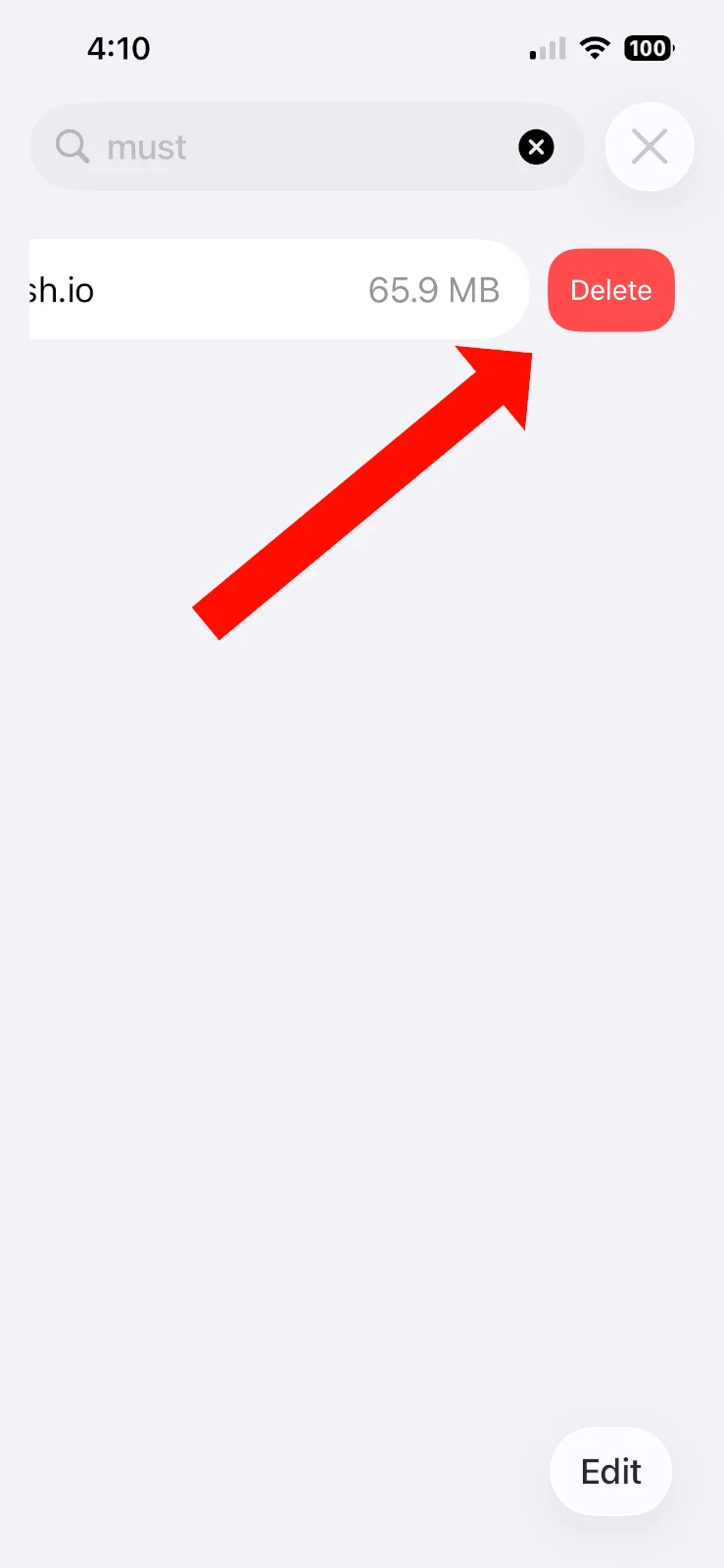
Search for muststash and swipe left to delete it.
6. Open MustStash again
Open MustStash again. MustStash will load a fresh copy of your data from your account.
If you use the MustStash app
If you are using the MustStash app instead of Safari, try deleting and reinstalling the app.
Your stash, projects, wishlist, and account are saved to your MustStash account, so deleting the app will not delete your MustStash data.
If you are not sure how to do this on your iPhone or iPad, contact support and we'll walk you through it.