Safari on Mac
Follow these steps if you use MustStash in Safari on a Mac.
This only clears the data Safari saved for MustStash. It does not delete your stash, projects, wishlist, or account.
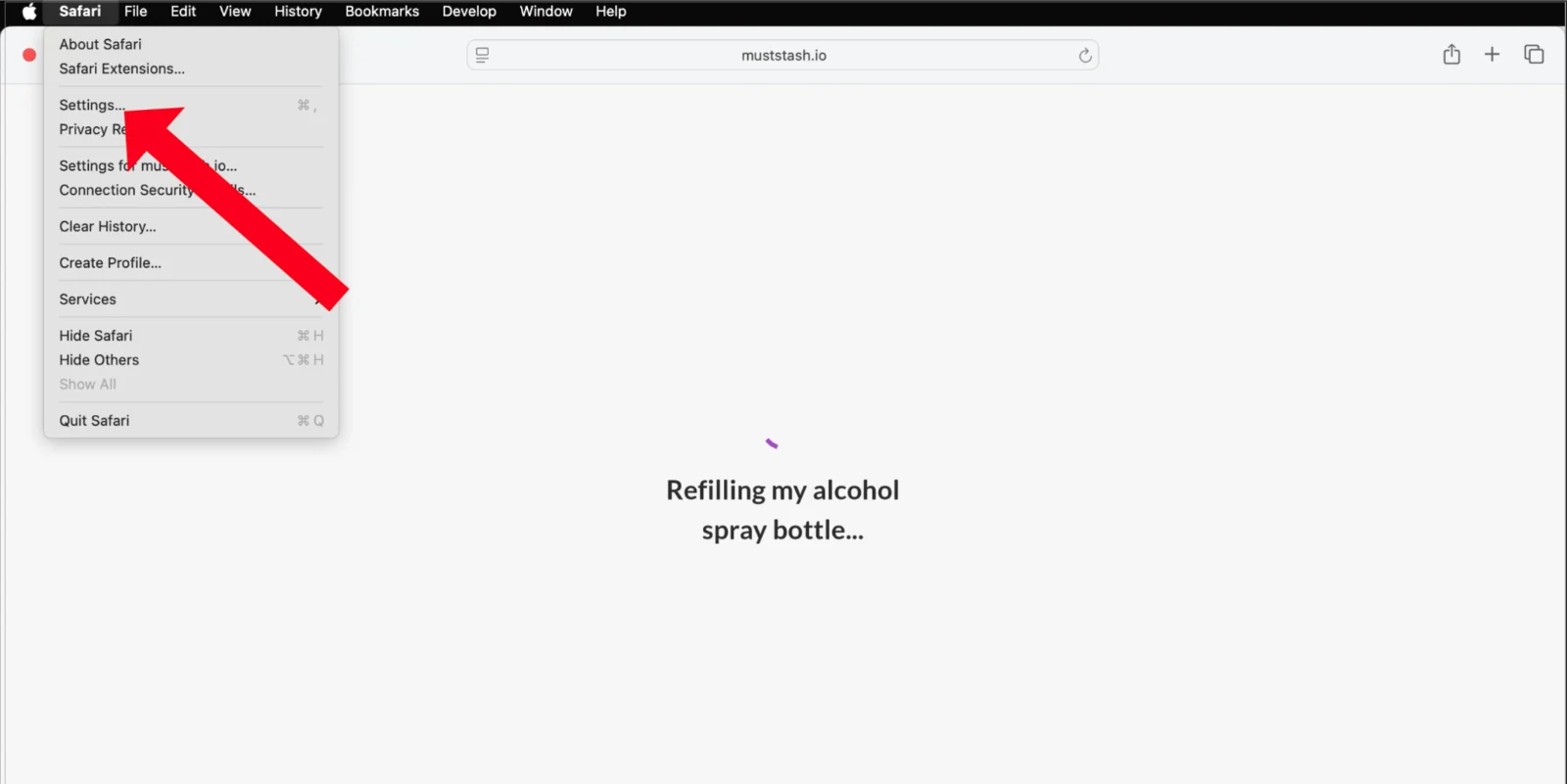
1. Open Safari Settings
Open Safari. In the menu bar, choose Safari → Settings.
On older macOS versions, this may be called Preferences.
2. Open Manage Website Data
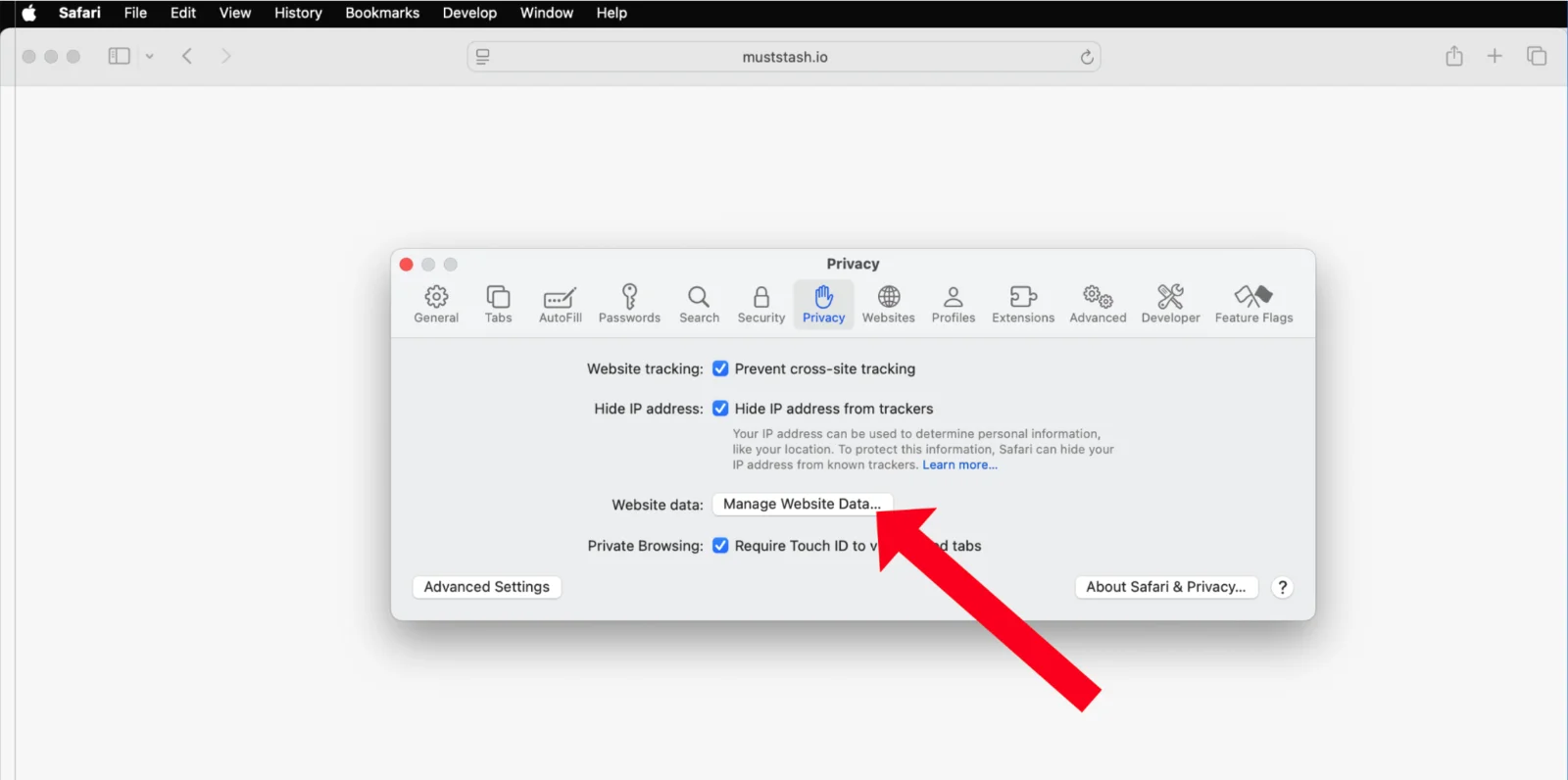
Go to the Privacy tab and click Manage Website Data...
3. Search for MustStash
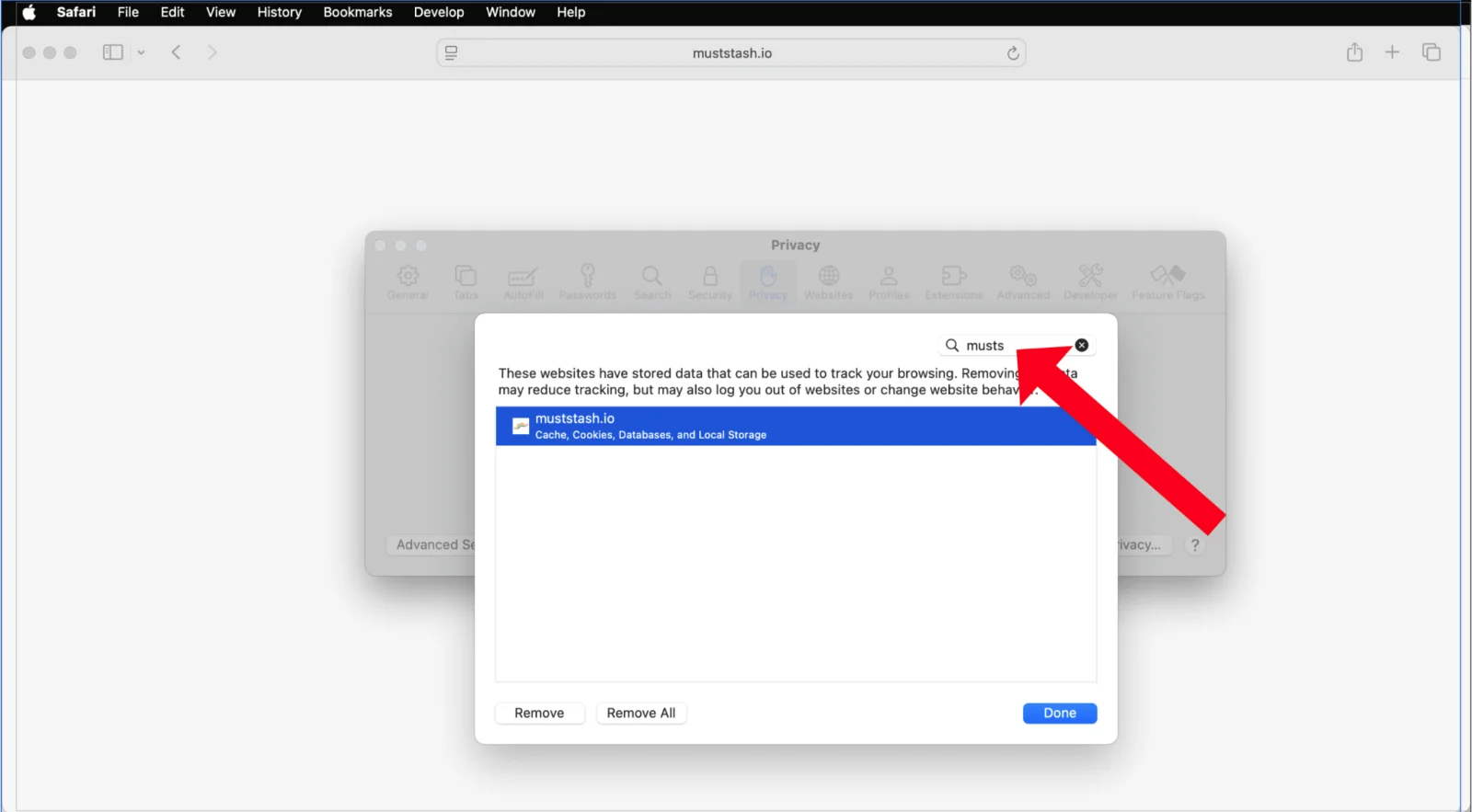
Search for muststash in the list.
4. Remove MustStash data
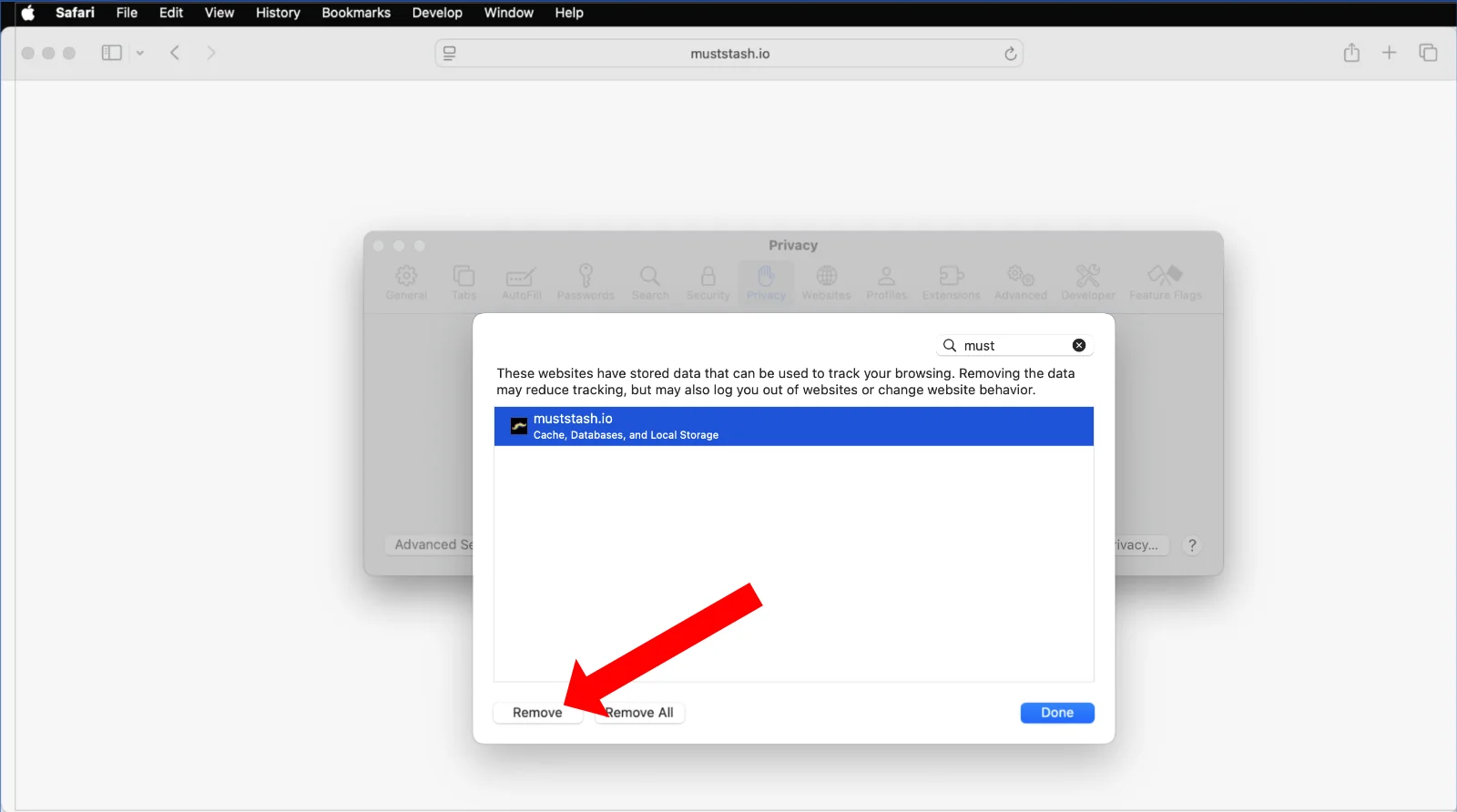
Select muststash.io and click Remove, then click Done.
5. Open MustStash again
Open MustStash again. MustStash will load a fresh copy of your data from your account.